Curso de WordPress para Bloggers Principiantes. Lección 2: Instalación de WordPress para Bloggers Principiantes. Con este vídeo tutorial puedes instalar wordpress de manera fácil y rápida. Si quieres saber más visita mi blog: http://www.luisalfonsogomez.com
Check out these cool WordPress plugins! – CodeRevolution.
Author: WPInitiator
-
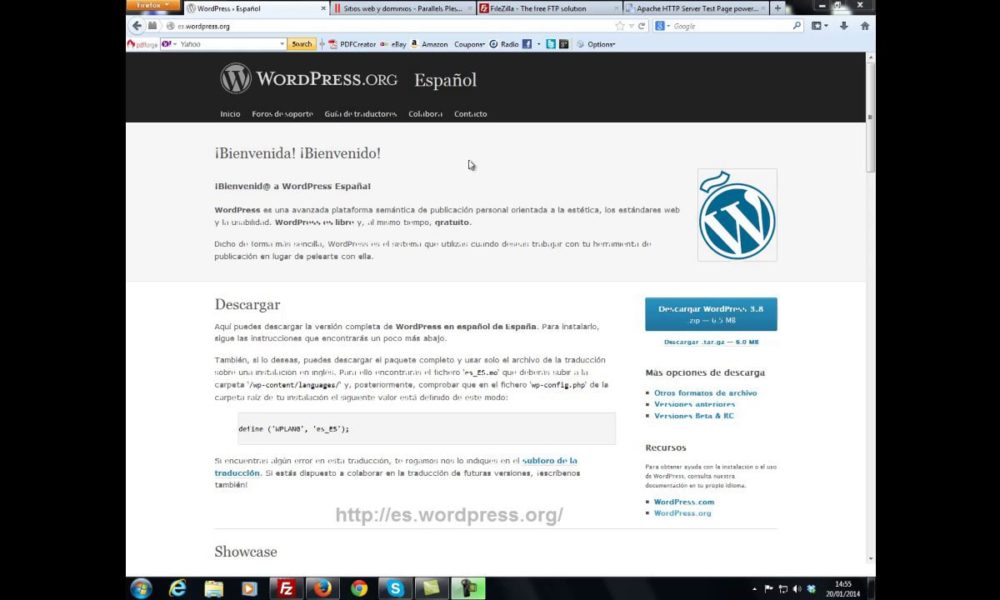
Instalación de wordpress en un hosting profesional Curso de WordPress para Bloggers Principiantes
-
Thesis Navigation Menu Part 12
Add Different Icons to Each Menu Itemhttp://thesistoolbox.com
Video Transcript
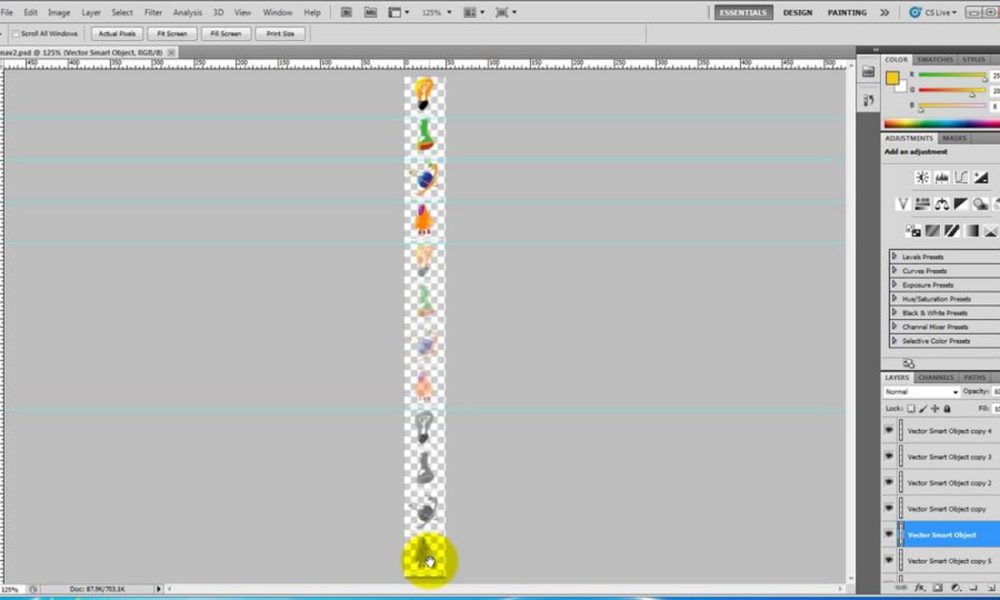
Now I’m going to show you how to use this plugin to style the Thesis navigation menu so that it has a you know, a little icon that sits before the text. And in fact, that icon is going to change color or change state as a link state changes. And we’re also going to use an image sprite to accomplish this rather than using a whole bunch of different images. So that’s the next thing that we’re going to do here. And in order for us to do that, the first thing we want to look at is our image itself.So this is our image that we’re going to use as our sprite. It has 4 different icons, the light bulb, the beaker, the planet, and the spaceship. And then it’s got 3 different states for each of those. It’s got the solid bright color. It’s got the semi-transparent color and it’s got the gray color. And the one I’m going to do is use this color for the current state, this for hover, and this for link so that the default color will be this gray color. And what we’ll be doing is we’ll be telling each menu item which piece of this image to use given its specific condition, using the position property inside of that plugin. And we will be setting the position from the top left hand corner. And so by specifying its height and its width, now each one of these icons sits in a rectangle that is 50 pixels by 50 pixels. So each of these 4, that’s 200 pixels and then 400 pixels and then 600 pixels. So this image is 600 pixels tall and 50 pixels wide. So we’ve got that little grid working here and it’s that little grid that we’re going to use for determining the position of the sprite in each of our menu items.
So the first thing we need to do is upload this menu and we’re going to come in here and go to the dashboard. Okay and then from the dashboard, we’ll go to the nav menu. Then this nav menu’s already sitting in the location here inside the Thesis Simple Header Widgets plugin. So when using this plugin with the Header Widgets plugin, of course, we’re going to set it so that it doesn’t display and then we’ll use the Header Widgets plugin to display it. So the position is set not to display, the menu visibility is set for everyone, the alignment is aligning the menu to the right, and at the moment, we’re not going to turn our layout guides on.
So in terms of our overall menu customization options, we are going to set overall menu margin in order to move this thing down. But I think otherwise, we’re going to not set anything else for our overall menu styles. And then for our typical menu styles, we will customize the typical item margin, typical item padding, typical item background. And then we are going to customize each menu item separately. The other thing I want to is just change up my text a little bit or we’re not going to do anything with submenus but change up my text. And so I’m going to use normal spacing for the text and when I remove all caps and then we’re going to say save to this. Okay now that will have created this progressive refinement whereby we have a new set of choices now that we’ve made these choices.
And let’s see, let’s just go over here and take a look at what it looks like now. Okay, there we go. So the first thing we’re going to do is go over to Design Options and get rid of the border around this thing. So we’ll go to Thesis Design Options and we’re going to go down to the nav menu and then we’ll get rid of the border. Remembering that the first thing we do is everything we can do using the Thesis Nav menu and then we refine that using the plugin. So we got rid of that border and if we refresh it, we’ll see that the border is gone.
Okay so now what we’re going to do is work on our typical menu item styles. And so the first place I think I want to give ourselves a left margin of 10 pixels. I want to separate those menu items themselves and I’m going to give the overall margin, a top margin say of 100 pixels. And then while we’re at it, in terms of background style, we are going to customize the background color and use the background image for each of these. Oh we haven’t… and we also need to set the number of tabs we’re going to do. We said we’re going to customize each menu item separately. We have 4 menu items so we’re going to say 4 menu tabs. And let’s see, customize background color… actually, in this case, we’re just going to customize background color and all of them but not use background image because this is the typical, not the menu item itself.
Okay so now we have tab 1, tab 2, tab 3, and tab 4 styles and then we have option to set colors. And what we’re going to do with the color is essentially, make these colors transparent. That’s why we said customize the background color because we want to get rid of all the background colors in the typical menu items because we’re not going to use any background color here. So we just make all those things transparent.
And then what we’re going to do is say to each of these tabs, we’re going to customize the background. Now, in order to understand these tabs, let’s go ahead and save it first. In order to understand how these tabs work, WordPress or Thesis automatically adds the class tab hyphen and then essentially tab number which is the position left to right in the menu. So this is tab-1, tab-2, tab-3, and tab-4. And so what we are doing here is we are doing the same thing. We’re creating a style for tab-1 and that style will apply to the first menu item.
Okay so now under our styles here, we are going to say use background image for the link background style, use background image for the hover style, use the background image and use the background image. And we have to make that choice again for all of these. You can see how many choices you would have to make if we didn’t have this progressive refinement system. You would have to wade through hundreds of irrelevant choices and it would just be confusing. So what we do instead is we progressively add choices as you make decisions.
Okay so anyway, we’re going to use background images on all of those states for each of those tabs. And now let’s go ahead and upload that image. We haven’t done that yet so we’re going to say add new. I’m just going to add this to our media library. Actually, we’re going to see our new drag and drop feature here in action because what I’m going to do is open this up, websites, BYOB Website, tutorial sites, and… I don’t know, Thesis BYOB tutorial graphics. And I believe I’m working with nav3.png. So all I do is just drag that here. Drag it, drop it, and now it’s been uploaded.
Okay and so let’s see, it says it’s uploaded so… okay, there it is. Now it is actually uploaded. So here’s our image here and so we’ll go ahead and copy that URL. Come back over to our plugin and then we’re going to just paste that URL everywhere. Let’s see, under tab 1 styles, we’ve got our link background image with no repeat and we’ll leave it at top left for the moment. And we’ll have our hover background image with no repeat and our current background image with no repeat and our current parent with no repeat. And then we’ll do the same thing with each of these because we’re not going to have these things repeat. It’s the icons that are only going to show up once.
Now you may wonder why we have to say this so many times but what I want you to have is some maximum flexibility. That is the ability to do different menu items in different states differently. So that’s what you have here. Once you’ve decided you want to style each tab differently, that’s what’s you’re going to have, a full set of choices for each tab. No repeat, current parent.
Okay so we’ve got that in there with the no repeat and if we hit save and hit refresh, we’re going to see those images show up. I think I must have messed that one up but you can see the light bulb and these ones here. Now what we need to do is add padding so that we can move the text away from the image. And of course, they’re all in the same position so they don’t change currently on link state yet but they will.
So come back over here and look at our tab 1 customization options, link background state. Yeah, you can see I forgot this one, no repeat. Okay, if we hit save and refresh it…
Check out these cool WordPress plugins! – CodeRevolution. -
Thesis Navigation Menu Plugin Part 12
Add Different Icons to Each Menu Item
http://thesistoolbox.com
Video Transcript
Now I’m going to show you how to use this plugin to style the Thesis navigation menu so that it has a you know, a little icon that sits before the text. And in fact, that icon is going to change color or change state as a link state changes. And we’re also going to use an image sprite to accomplish this rather than using a whole bunch of different images. So that’s the next thing that we’re going to do here. And in order for us to do that, the first thing we want to look at is our image itself.So this is our image that we’re going to use as our sprite. It has 4 different icons, the light bulb, the beaker, the planet, and the spaceship. And then it’s got 3 different states for each of those. It’s got the solid bright color. It’s got the semi-transparent color and it’s got the gray color. And the one I’m going to do is use this color for the current state, this for hover, and this for link so that the default color will be this gray color. And what we’ll be doing is we’ll be telling each menu item which piece of this image to use given its specific condition, using the position property inside of that plugin. And we will be setting the position from the top left hand corner. And so by specifying its height and its width, now each one of these icons sits in a rectangle that is 50 pixels by 50 pixels. So each of these 4, that’s 200 pixels and then 400 pixels and then 600 pixels. So this image is 600 pixels tall and 50 pixels wide. So we’ve got that little grid working here and it’s that little grid that we’re going to use for determining the position of the sprite in each of our menu items.
So the first thing we need to do is upload this menu and we’re going to come in here and go to the dashboard. Okay and then from the dashboard, we’ll go to the nav menu. Then this nav menu’s already sitting in the location here inside the Thesis Simple Header Widgets plugin. So when using this plugin with the Header Widgets plugin, of course, we’re going to set it so that it doesn’t display and then we’ll use the Header Widgets plugin to display it. So the position is set not to display, the menu visibility is set for everyone, the alignment is aligning the menu to the right, and at the moment, we’re not going to turn our layout guides on.
So in terms of our overall menu customization options, we are going to set overall menu margin in order to move this thing down. But I think otherwise, we’re going to not set anything else for our overall menu styles. And then for our typical menu styles, we will customize the typical item margin, typical item padding, typical item background. And then we are going to customize each menu item separately. The other thing I want to is just change up my text a little bit or we’re not going to do anything with submenus but change up my text. And so I’m going to use normal spacing for the text and when I remove all caps and then we’re going to say save to this. Okay now that will have created this progressive refinement whereby we have a new set of choices now that we’ve made these choices.
And let’s see, let’s just go over here and take a look at what it looks like now. Okay, there we go. So the first thing we’re going to do is go over to Design Options and get rid of the border around this thing. So we’ll go to Thesis Design Options and we’re going to go down to the nav menu and then we’ll get rid of the border. Remembering that the first thing we do is everything we can do using the Thesis Nav menu and then we refine that using the plugin. So we got rid of that border and if we refresh it, we’ll see that the border is gone.
Okay so now what we’re going to do is work on our typical menu item styles. And so the first place I think I want to give ourselves a left margin of 10 pixels. I want to separate those menu items themselves and I’m going to give the overall margin, a top margin say of 100 pixels. And then while we’re at it, in terms of background style, we are going to customize the background color and use the background image for each of these. Oh we haven’t… and we also need to set the number of tabs we’re going to do. We said we’re going to customize each menu item separately. We have 4 menu items so we’re going to say 4 menu tabs. And let’s see, customize background color… actually, in this case, we’re just going to customize background color and all of them but not use background image because this is the typical, not the menu item itself.
Okay so now we have tab 1, tab 2, tab 3, and tab 4 styles and then we have option to set colors. And what we’re going to do with the color is essentially, make these colors transparent. That’s why we said customize the background color because we want to get rid of all the background colors in the typical menu items because we’re not going to use any background color here. So we just make all those things transparent.
And then what we’re going to do is say to each of these tabs, we’re going to customize the background. Now, in order to understand these tabs, let’s go ahead and save it first. In order to understand how these tabs work, WordPress or Thesis automatically adds the class tab hyphen and then essentially tab number which is the position left to right in the menu. So this is tab-1, tab-2, tab-3, and tab-4. And so what we are doing here is we are doing the same thing. We’re creating a style for tab-1 and that style will apply to the first menu item.
Okay so now under our styles here, we are going to say use background image for the link background style, use background image for the hover style, use the background image and use the background image. And we have to make that choice again for all of these. You can see how many choices you would have to make if we didn’t have this progressive refinement system. You would have to wade through hundreds of irrelevant choices and it would just be confusing. So what we do instead is we progressively add choices as you make decisions.
Okay so anyway, we’re going to use background images on all of those states for each of those tabs. And now let’s go ahead and upload that image. We haven’t done that yet so we’re going to say add new. I’m just going to add this to our media library. Actually, we’re going to see our new drag and drop feature here in action because what I’m going to do is open this up, websites, BYOB Website, tutorial sites, and… I don’t know, Thesis BYOB tutorial graphics. And I believe I’m working with nav3.png. So all I do is just drag that here. Drag it, drop it, and now it’s been uploaded.
Okay and so let’s see, it says it’s uploaded so… okay, there it is. Now it is actually uploaded. So here’s our image here and so we’ll go ahead and copy that URL. Come back over to our plugin and then we’re going to just paste that URL everywhere. Let’s see, under tab 1 styles, we’ve got our link background image with no repeat and we’ll leave it at top left for the moment. And we’ll have our hover background image with no repeat and our current background image with no repeat and our current parent with no repeat. And then we’ll do the same thing with each of these because we’re not going to have these things repeat. It’s the icons that are only going to show up once.
Now you may wonder why we have to say this so many times but what I want you to have is some maximum flexibility. That is the ability to do different menu items in different states differently. So that’s what you have here. Once you’ve decided you want to style each tab differently, that’s what’s you’re going to have, a full set of choices for each tab. No repeat, current parent.
Okay so we’ve got that in there with the no repeat and if we hit save and hit refresh, we’re going to see those images show up. I think I must have messed that one up but you can see the light bulb and these ones here. Now what we need to do is add padding so that we can move the text away from the image. And of course, they’re all in the same position so they don’t change currently on link state yet but they will.
So come back over here and look at our tab 1 customization options, link background state. Yeah, you can see I forgot this one, no repeat. Okay, if we hit save and refresh it…
Check out these cool WordPress plugins! – CodeRevolution. -
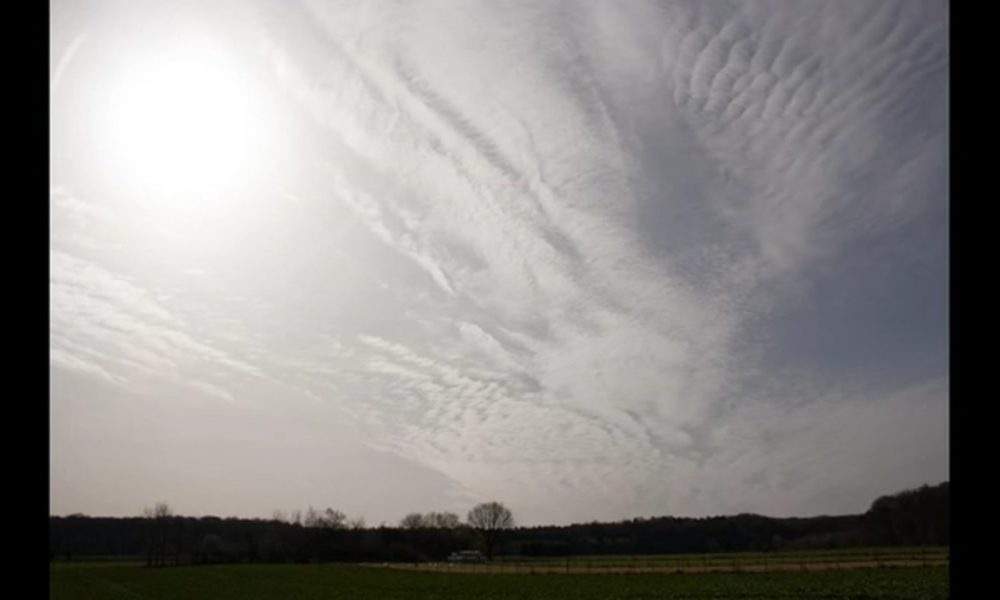
Haben wir wirklich eine Wahl? Über Politik und Wettermanipulation / Bonn, Merl und Bölingen /12.03.2017
SRM, Geoengineering
Bonn, Merl und Bölingen, Deutschland
Diashow / Slideshow 12.03.2017
*
Weitere Infos:
http://blauerhimmel.info
http://www.chemtrail.de
http://www.geoengineeringwatch.org
http://chemtrailsplanet.net
*
http://www.geoengineeringwatch.org/geoengineering-watch-global-alert-news-march-18-2017-a/
http://www.geoengineeringwatch.org/why-high-bypass-turbofan-jet-engines-are-almost-incapable-of-producing-condensation-trails/
http://www.geoengineeringwatch.org/the-contrail-lie/
https://hessenwahrheit.wordpress.com/2016/10/03/kondensstreifen-oder-chemtrails/
http://www.geoengineeringwatch.org/geoengineering-definition-of-terms/
tutorial:
https://youtu.be/mRjmzy9XcaY
*
Einwanderung aus Sicht der Polizei | Rainer Wendt
https://www.youtube.com/watch?v=no-Fc931mUI
BRD Wahlsystem:
https://www.youtube.com/watch?v=krdRq-_m7Ho&feature=youtu.be
Andreas Popp Wahlen sind eine Lachnummer
https://www.youtube.com/watch?v=T2ML28bcQS4
Prof. Rainer Mausfeld: Die Angst der Machteliten vor dem Volk
“Wenn eine überschaubare Gruppe von Menschen dauerhaft über die große Masse Macht ausüben will, ist die Stabilität des Systems nur dann zu erreichen, wenn man die wichtigste Ressource kontrolliert. Wissen.”
https://youtu.be/Rk6I9gXwack
***
Aus der Videobeschreibung:Liebe Wanderfreunde!
Am Sonntag raus in die Natur! Frische Luft schnappen. Neue Kraft tanken. Die Sorgen und den Frust vergessen, der sich über die Woche angestaut hat:
– Ständige Meldungen über “Einzelfälle” bei Vergewaltigungen, Messerstechereien von Personen, deren Identität und Herkunft wohlweislich auf Befehl von “OBEN” verschwiegen wird. Wer sich dagegen auflehnt und die Wahrheit beim Namen nennt – wie der pensionierte Polizeigewerkschaftsvorsitzende “Rainer Wendt” – wird medial fertiggemacht.
(Grausame Realität – “Rainer Wendt” “Unzensiert” – Einwanderung aus Sicht der Polizei https://www.youtube.com/watch?v=no-Fc931mUI )– Lancierte Meldungen über (immer) psychisch gestörte Einzeltäter, die jetzt mit Äxten und Macheten rumrennen und Bio-Deutsche attackieren. Alles normal in diesem Land. “Weitergehen, hier gibt’s nichts zu sehen!”
– Wahlen, wo der Gewinner immer schon vor den ersten Hochrechnungen festzustehen scheint. Da wird nicht selten schon im voraus gratuliert. Und die Hochrechnungen bilden fast immer weitgehend punktgenau das amtliche Endergebnis ab. Hat Europa eine Wahl??? Hast DU wirklich eine Wahl??? Oder wählst Du nur die Farbe des Zauns, der Dich umgibt?
Dann doch lieber das alles hinter sich lassen und uns bewegen, damit wenigstens nicht die Gesundheit Schaden nimmt. Doch was ist das? Schon wieder so ein komischer, mit Barium, Strontium, Nano-Aluminium und wer weiß was alles angereicherter Himmel. Weiße künstliche Wolken. Man kann hochschauen wann man will: immer sieht man ein Flugzeug sprühen. Meistens in Nähe der Sonne, dessen Licht uns ja vorenthalten werden soll. So wird aus einem schönen Frühlingstag innerhalb von zwei bis drei Stunden ein Grau in Grau. Dieser Zustand hält dann wieder tagelang an. Man will uns ja weg haben, man will uns ja wichtiges Vitamin D3 vorenthalten. Man will ja Europa und hauptsächlich Deutschland umvolken. Nein, liebe Kritiker. Das alles kann man nicht mehr mit dem Si Ei E-Begriff “Verschwörungstheoretiker” abtun. Das kann man live und in Farbe schon im Stadtbild jeder größeren Stadt sehen. Schauen Sie nach Frankreich, Holland, Schweden!
Vielleicht machen wir ja nächste Woche eine Wanderung bei schönem tiefblauen Himmel?
Wann haben Sie den zuletzt gesehen? Glauben Sie an Zufälle?
Eine schöne Woche noch und danke fürs Zuschauen!
Check out these cool WordPress plugins! – CodeRevolution. -
![Tranquilizing Capsule [Concept]](https://wpinitiate.com/wp-content/uploads/2019/07/7535/tranquilizing-capsule-concept-1000x600.jpg)
Tranquilizing Capsule [Concept]
Introduction:
This project was based on the research of Induced Motion. The objective was to explore how moving patterns of nature can impact on the human perception therefore result in a state of tranquilization. This research was accomplished by capturing the moving patterns of water through an unfamiliar observation.Theory:
The concept of this research was initially from the study of Motion Perception. Motion Perception is an act of collection in speed and directions of one or many objects from a scene. Human perceive motion in 3 interesting ways, we perceive in still by keeping both the head and eyes on a moving object/objects passing in front of us as well as keeping the head still and follow the movements only with our eyes. We can also keep our eyes still and only move the head to follow a movement.This research was built on the foundation of perceiving in still, in another word induced motion. This way of perceiving causes a sense of false impression on the movement of a stationary object in the presence of the movements from its surrounding objects; this form of perception physiologically tranquilize the consciousness of human brain into a sense of serenity. The purpose of this research was to design an installation that allows individuals to experience the quality of calmness through perceiving the natural environment from an unfamiliar approach.
Videos:
The video captures for this research were carefully considered for the purpose of demonstrating water patterns in the 4 states of forms. These are Obvious, Hidden, Chaotic and Turbulent. Each of these 4 patterns contains an unique emotion that induces the human brain to react to. And every one of the 4 videos acts as a solution that conducts to a human emotion.The Obvious Pattern of water was captured beautifully but presented upside down. This slight distortion in perception demonstrates the reaction of curiosity. Curiosity is an emotion that activates the human brain to comprehend and anticipate new information. This video urges the individual to observe the hyperbolic movements up to a long period of time. Which carries human consciousness to a state of hypnosis.
The Hidden Pattern was to explore the enchantment in human emotion. This was implemented through the unfocused capture of water waves; the interesting aspect of this emerged through the magnified flares in the foreground and the lingering movements in the background.
The Chaotic Pattern was focused on the anxiety, having water played sideways; it draws an individual’s frustration away and assists the flow in a trend of thought.
The video for Turbulent was very intense on visual, and this was targeted on stress. The patterns are very chaotic therefore by observing for a period of time it creates a sense of disturb, which works in an opposing way in comparison to the other 3. It offers a series of disturbing images, which forces an individual to desire for relaxation.
Sound:
The ambient sound of water has been widely used for the purpose of relaxation. The sound in this project was composed using two water sounds, one was the sound of water waves, and the second one was an echo sound of water from a seashell. The two sounds were put together and played in reverse. The changes in effects are not too obvious, but when listened carefully with the visuals, it generates a harmonizing effect that tranquilize your thoughts and puts you into a meditation state.The Installation:
This installation was designed for the purpose to isolate individuals from the distractions in a present environment. This installation is a portable entity that contains 4 enormous screens that each displays a form of water patterns. Individuals sit inside feeling completely embraced by the tranquilizing patterns, which allows them to mesmerize and meditate.Conclusion:
The findings from this research demonstrated what human perceive led to emotions. By observing from an unfamiliar perspective it helps to comfort an individual’s trend of consciousness, therefore induces the emotions to a state of tranquilization. The results from this research demonstrated to be positive and efficient.Please view my blog for this project:
www.longitudemultimedia.wordpress.comReference:
3D Human Model Tutorial – www.freemayavideotutorials.com/maya-downloads/maya-models/download-3d-youngman_heavy-body2.html
Check out these cool WordPress plugins! – CodeRevolution. -
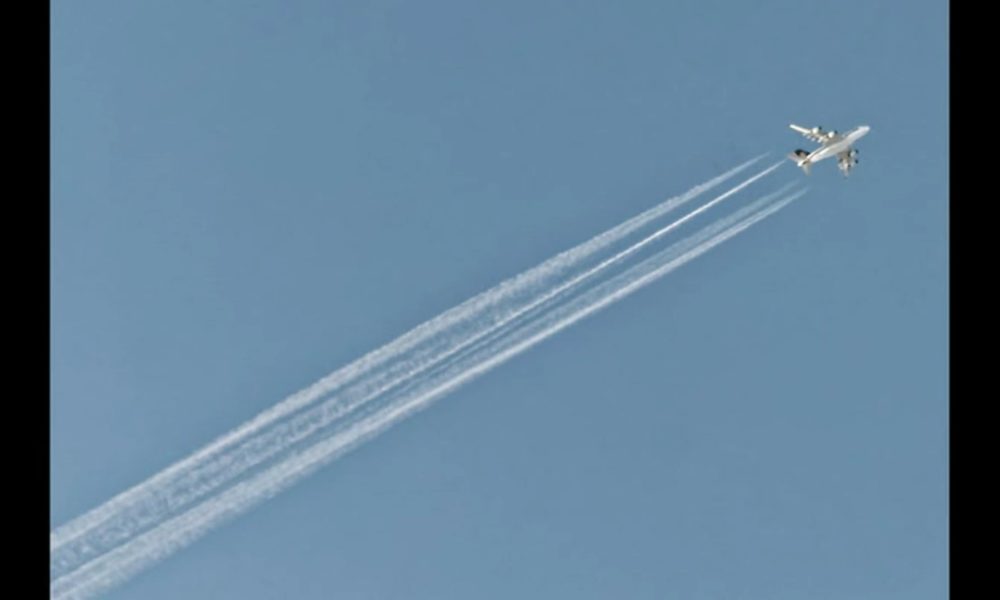
Das Märchen vom Kondensstreifen – Das Ostallgäu wieder im Fadenkreuz der Sprüher – 25.02.2017
SRM, Geoengineering
Ostallgäu, Germany
Diashow / Slideshow 25.02.2017
*
Weitere Infos:
http://blauerhimmel.info
http://www.chemtrail.de
http://www.geoengineeringwatch.org
http://chemtrailsplanet.net
*
http://www.geoengineeringwatch.org/geoengineering-watch-global-alert-news-march-4-2017/
http://www.geoengineeringwatch.org/why-high-bypass-turbofan-jet-engines-are-almost-incapable-of-producing-condensation-trails/
http://www.geoengineeringwatch.org/the-contrail-lie/
https://hessenwahrheit.wordpress.com/2016/10/03/kondensstreifen-oder-chemtrails/
http://www.geoengineeringwatch.org/geoengineering-definition-of-terms/
tutorial:
https://youtu.be/mRjmzy9XcaY
–
Videotext:Vorbemerkung:
Alle in dieser Foto-Dokumentation gezeigten “Wolken” sind künstlicher Natur! Sie wurden von Flugzeugen erzeugt.In der Nacht von Freitag auf Samstag war überraschend Schnee gefallen, der die Landschaft des Voralpenlands für 2 kurze Tage in ein weißes Wintermärchen verwandeln sollte.
Die Freude währte nicht lange, als man sich morgens den Himmel etwas näher betrachtete: Eine Mischung aus Nebel und Chemieschwaden. Widerum waren schon vor Sonnenaufgang Flugzeuge unterwegs gewesen, deren einzige Aufgabe es war, ihre giftige Fracht in niedriger Höhe abzuliefern. Dieses in der Fachsprache “Solar Radiation Management (SRM)” genannte Verfahren soll sicherstellen, daß möglichst wenig direktes Sonnenlicht auf die Erde trifft und ins All zurück reflektiert wird. Als Begründung wird angegeben, dies sei zur Eindämmung der globalen Erwärmung notwendig. Das Gegenteil ist richtig: die Wärme wird am Boden zurückgehalten.
Die Massenmedien thematisieren SRM gar nicht, sondern tischen uns weiterhin das Märchen auf, bei den im Volksmund “Chemtrails” genannten Emissionen handele es sich um einfache Kondensstreifen. Diese dreiste Lüge ist schon in soweit schnell zu entlarven, weil seit langer Zeit moderne Mantelstromtriebwerke (ZTL oder High Bypass Turbofan Jet Engines) technisch keine nennenswerten Kondensstreifen mehr erzeugen können! 80% der angesaugten Luft werden nicht mehr durch die Brennkammern geleitet.
(Siehe Informationen hierzu im Info-Bereich des Videos.)Zudem entstehen Kondensstreifen bei altem Fluggerät nur in großer Höhe zwischen 10.000 und 12.000 Metern bei mindestens 70% relativer Luftfeuchtigkeit und extrem kalten Temperaturen bei etwa minus 40 Grad. Diese seltenen Umstände, so will man uns weismachen, treten also täglich, Sommer wie Winter, auf. Denn gesprüht wird nahezu täglich! Die Sprüher sind häufig in Höhen von 4.000 bis 6.000 Metern unterwegs. Bei kommerziellen Sprühern wie den Emirates kann man sogar noch das Firmenlogo am Rumpf erkennen und lesen. Oder den Kranich der Lufthansa. Oft gibt es Formationen mit einem sprühenden und einem nicht sprühenden Flugzeug in gleicher Höhe. Wenn dann noch das Sprühmittel ausgeht und die Flugzeuge vor aller Augen ohne Streifen weiterfliegen, spätestens dann dürften die Täter, die die Aufklärer mit dem altbewährten CIA-Begriff “Verschwörungstheoretiker”
betiteln, in Erklärungsnot kommen. Laßt Euch etwas besseres einfallen!All diese Machenschaften entbehren jeglicher gesetzlicher Grundlage und können mit dem Begriff
“vorsätzliche Wettermanipulation” zusammengefaßt werden. Längst wird das Wetter gemäß dem schon länger im Netz erhältlichen Strategiepapier der US Airforce
“Beherrschung des Wetters bis 2025” http://csat.au.af.mil/2025/volume3/vol3ch15.pdf
täglich manipuliert.Abgase von Flugzeugen werden weder thematisiert, noch hinterfragt. Geschweige denn ein Flugverbot an besonders kritischen Tagen ausgesprochen.
Aber der Straßenverkehr wird regelmäßig als Hauptverursacher für die Feinstaubemissionen verantwortlich gemacht.
Man soll jetzt Elektroautos kaufen. Denn der Strom kommt ja bekanntlich aus der Steckdose und ist daher umweltschonend!
Qui Bono?Die negativen Folgen dieser vorsätzlich begangenen Verbrechen an Mensch und Natur sind
– Störung des Ökosystems
– Kontamination der gesamten Umwelt durch Leicht- und Schwermetalle sowie Chemikalien
– Schädigung der Gesundheit der Menschen mit drastischen Folgen:
– Alzheimer-Erkrankungen schon in frühen Jahren steigen drastisch an
– fast die gesamte Bevölkerung leidet an Vitamin D3-Mangel durch Entzug von Sonnenschein
– Niederschlagsmangel
– nachhaltige Schädigung des Baumbestands und dessen Wurzeln. Bäume werden anfälliger für Schädlinge. Viele Bäume sterben durch die Toxine ab
– Häufung von Entzündungen im Körper, verursacht durch Nano-Aluminium, welches auch schon im Regenwasser nachweisbar ist.Für weitere Informationen hierzu lesen Sie zum Beispiel das Buch der alternativen Nobelpreisträgerin Rosalie Bertell “Kriegswaffe Planet Erde”.
All das paßt zur bereits in früheren Videos angesprochenen Agenda der gezielten Zerstörung unseres seit 1945 besetzten Landes. Ein souveräner Staat würde sich so etwas nicht bieten lassen und seine Bürger beschützen.
Check out these cool WordPress plugins! – CodeRevolution. -
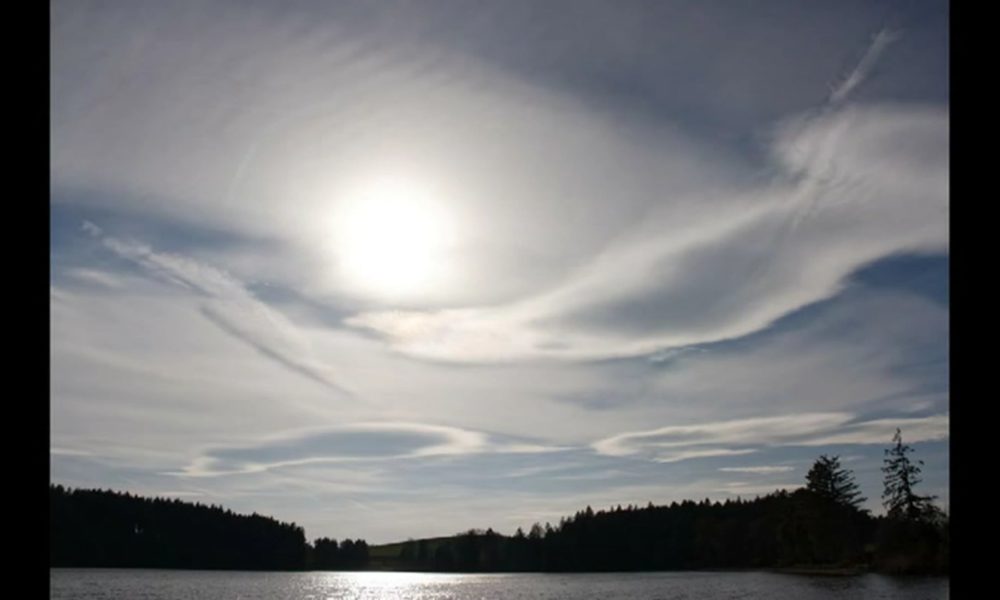
Wolken von einem anderen Planeten??? SRM und HAARP am Schmuttersee,Allgäu 12.04.2017
SRM, HAARP, Geoengineering
Ostallgäu, Germany
Diashow / Slideshow 12.04.2017
***
Weitere Infos:
http://blauerhimmel.info
http://www.chemtrail.de
http://www.geoengineeringwatch.org
http://chemtrailsplanet.net
*
http://www.geoengineeringwatch.org/geoengineering-watch-global-alert-news-april-8-2017/
https://youtu.be/rrMBhu7xVX8
http://www.geoengineeringwatch.org/why-high-bypass-turbofan-jet-engines-are-almost-incapable-of-producing-condensation-trails/
http://www.geoengineeringwatch.org/the-contrail-lie/
https://hessenwahrheit.wordpress.com/2016/10/03/kondensstreifen-oder-chemtrails/
http://www.geoengineeringwatch.org/geoengineering-definition-of-terms/
tutorial:
https://youtu.be/mRjmzy9XcaY
*
Kate Magdalena Willens – Bluer Than Blue
https://vimeo.com/133873524
*
http://saga4ever.blogspot.de/2016/11/bayern-katastrophale-konzentration-von-aluminium-barium-und-arsen-in-der-atemluft-amtlich-bestaetigt.html
http://www.nwo-rebell.de/chemtrails-fallout-analyse-zusammensetzung/
http://chemtrails-forum.de/analysen.htm
https://sydneychemtrails.wordpress.com/2011/11/25/arizona-skywatch-air-analysis-for-2008-2009-in-phoenix-arizona/
—
Aus der Videobeschreibung:
–
Endlich wieder ein Tag mit wolkenlosem Himmel und die Hoffnung auf sonnige Feiertage.
Doch die Erfahrung von uns Himmelbeobachtern belehrt uns eines Besseren: Ein klarer blauer Himmel wird in dem Besatzerkonstrukt “Bundesrepublik Deutschland” seit Jahren nicht mehr zugelassen. Politiker vertreten jedermanns Interessen – nur nicht die des eigenen Volkes. Zudem haben sie keinerlei Befugnisse über den deutschen Luftraum. Petitionen, Beschwerden und Anfragen gegen das Treiben am Himmel, uns mit Metallen und Chemikalien wie Barium, Strontium, Nano-Aluminum, Cadmium u.v.a. zu besprühen, gehen seit Jahren ins Leere. Abgelenkt durch neue Feinstaubverordnungen in Städten oder die aggressive Vermarktung von Elektroautos wird der Fokus auf lukrative Geschäfte verschoben und damit der Eindruck erweckt, die Obrigkeit würde sich um Umwelt und Bevölkerung sorgen.Wurde das Allgäu 2010 noch weitgehend von Intensivsprühungen verschont, traut man heutezutage seinen Augen nicht mehr:
Die künstlichen Wolken, die jetzt für jeden sichtbar täglich erzeugt werden, muten wie von einem anderen Planeten an. Die meisten Älteren von uns, die noch einen normalen Himmel kennen, sterben allmählich aus oder haben resigniert. Die wenigen, die sich wehren, werden als Spinner abgestempelt oder mit dem CIA-Begriff “Verschwörungstheoretiker” verunglimpft. Die Jüngeren kennen keinen normalen unbehandelten Himmel mehr.
So nehmen die Umweltverbrechen des militärisch-industriellen Komplexes allmählich bizarrste Züge an. Sehen Sie selbst: Vergleichen Sie den Himmel in diesem Video mit dem am selben Ort fotografierten von damals. (Siehe hierzu das Musikvideo “Bluer Than Blue”, https://vimeo.com/133873524, auf diesem Kanal.) Werden Sie Augenzeuge, wie eines der letzten verbliebenen Naturparadiese Bayerns zerstört wird. Wann kippt das Öko-System endgültig?
Lassen Sie jedoch nicht nach im Kampf für eine saubere Umwelt. Sonst wird nicht nur die Vielfalt der Fauna und Flora bald von unserem Planeten verschwunden sein.
Check out these cool WordPress plugins! – CodeRevolution. -

Contra la Violencia patriarcal, AUTODEFENSA TRANSFEMINISTA!! 25N
Tutorial de Acción de AUTODEFENSA TRANS FEMINISTA para el 25 de Noviembre, día contra la violencia machista. Realizado por los Grupos de Autodefensa Transfeminista de Madrid y gentes afines.El día 25 de Noviembre estaremos en Opera a partir de las 18:30 para reivindicar que queremos una vida libre de violencia machista. Participa en la flashmod, y ven si quieres vestida de negro con una prenda morada. También puedes participar en otras actividades en torno al 25 de Noviembre, visítalas en el blog: http://vidalibredeagresionesmachistas.wordpress.com/
VIOLENTO es sentirte que te puede matar en cualquier momento. AUTODEFENSA TRANSFEMINISTA YA!
Si nos tocan a una! nos tocan a todas!!!!
Ante la duda! tu la viuda!!!!
Frente al patriarcado y su violencia! autodefensa!!!!
Qué queremos? tijeras para todas!!!!
Enseña a tu hija… a defenderse!!!!
Contra la violencia patriarcal! autodefensa transfeminista!!!
La calle y la noche! también son nuestras!!!
De tu violencia! ¡voy a defenderme!!!! (Nicaragua, 8 de Marzo)
No tengas miedo: Organízate!!!! (Feministalde)
Nos quieren fáciles, dóciles, presas pasivas: PUES NO! (Iruña, Julio 2014)
Sé la dueña de tu propia vida: AUTODEFENSA TRANSFEMINISTA!!!!
No más agresiones! sin respuesta!!!!
NO quiere decir NOOOOO!!!¡CHICA! Recursos para prevenir agresiones
1 – Camina con seguridad, cuanto más insegura vayas más vulnerable te verán. OCUPA TU ESPACIO VITAL
2 – Confía en tu propio criterio. Si sientes que algo va mal “ACTÚA”. Solo tú sabes si algo te gusta, te molesta o te agrede. ¡TÚ DECIDES!
3-Recuerda derecho a decir “NO”, nadie tiene derecho a imponerte nada que no quieras. TU CUERPO ES TUYO.
4-QUIEN BIEN TE QUIERE, TE QUIERE BIEN, te tratara con respeto. No admitas malos tratos.¡CHICO! Recursos para prevenir agresiones
¡No te quedes al margen, no tengas miedo de no ser un machito y actúa! También tu papel es importante.
1 – Recuerda a los Agresores que NO es NO. Una mujer tiene el mismo derecho a decidir lo que quiere y lo que no. No puedes decidir por ella.
2 – Ser plasta o baboso no es ligar ES AGREDIR.
3 – Ni el uso ni el abuso de ninguna droga justifica una agresión. Ni “borracho” permitas que se agreda a una mujer.
4 – QUIEN BIEN TE QUIERE, TE QUIERE BIEN, te tratara con respeto. No admitas malos tratos.
5 – La calle, la noche, el día, son las fiestas para el disfrute de todas las personas.
NO SEAS CÓMPLICE, actúa y di NO a los agresores.Pautas que recomienda Maitena Monroy
Check out these cool WordPress plugins! – CodeRevolution. -
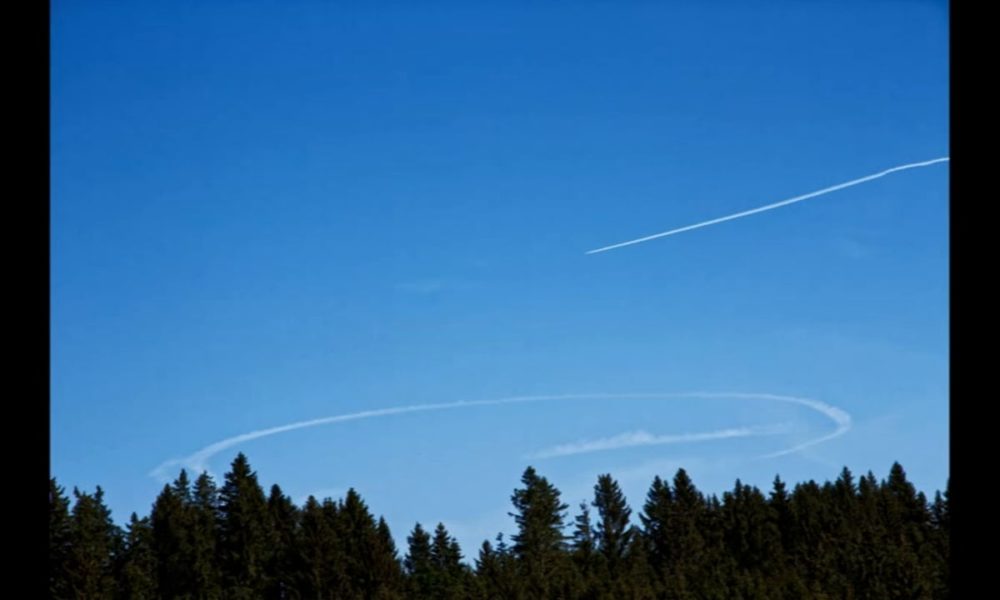
2 Stunden wandern mit Chemtrail Allgäu 18.05.2015 Part 2
1 Chemtrail wandert mit vom Egelsee im Allgäu in Richtung Hohenpeissenberg. Die Landschaft ändert sich, der Streifen bleibt. Es wird ferner ein neuer Wolkentyp entdeckt! Die Ringelwolke! (;-). Es wird gezeigt, wie ein ursprünglich makellos blauer Himmel bearbeitet wird und das Bergpanorama systematisch eintrübt. Wer stoppt den Wahnsinn? Teil 2
Chemtrails Geoengineering Wetterkontrolle Allgäu
Diashow / Slideshow Bilder vom 18.05.2015
Weitere Infos zu dem Thema z.B. auf:
http://blauerhimmel.info
7 minute high bypass turbofan tutorial:
https://youtu.be/mRjmzy9XcaY
http://www.geoengineeringwatch.org/high-bypass-turbofan-jet-engines-geoengineering-and-the-contrail-lie/
http://chemtrailsplanet.net/2015/08/09/the-contrail-deception-revealed-by-examing-the-high-bypass-turbofan/
http://www.chemtrail.de
http://www.aktiendaten.org/machtmibrauch/chemtrails/
https://frankenbergerblog.wordpress.com
https://frankenbergerblog.wordpress.com/2015/06/06/umweltbundesamt-wir-wollen-keine-ressourcen-auf-das-thema-solar-radiation-management-verschwenden/
http://stopesm.blogspot.de/2015/06/die-klimaluge-in-1-minute.html
http://www.geoengineeringwatch.org
http://www.geoengineeringwatch.org/dismantling-the-lie-of-contrails
http://www.geoengineeringwatch.org/aluminum-poisoning-of-humanity-from-geoengineering-the-first-science-publication-goes-live/
http://chemtrailsplanet.net/
http://globalskywatch.com
http://www.weather-modification-journal.de/
http://qualitaets-leben.info/geoengineering
http://www.sauberer-himmel.de
***
HIGH BYPASS TURBOFAN JET ENGINES CANNOT MAKE CONTRAILS
https://www.youtube.com/watch?v=bUfZwN2-Uhs
***
turbofan engine
https://www.youtube.com/watch?v=IcYlYpMChTo
***
The Modern Jet Engine Vs. Contrails – Geoengineering Awareness
https://www.youtube.com/watch?v=Esazoi0h4sY
***
Video Documentation Reveals Commercial Aircraft Spraying Chemtrails To Warm Climate
https://www.youtube.com/watch?v=omMJwvDkF-s
***
4 engines,6 chemtrails,then 2 chemtrails – what the???
https://www.youtube.com/watch?v=Vf7ori-Qxco
***
The Complete History Of Monsanto
http://www.shiftfrequency.com/monsanto-complete-history/
Check out these cool WordPress plugins! – CodeRevolution.